Ikonic Weighing Scale
1. Place the scale on a solid, flat surfacePlace a bowl (if using) on the scale
2. Press the power button to turn on
3. Wait until LCD shows ""0"" and then press Mode button to convert to weighing mode
4. Load weighing object on scale (or bowl) to start weighing. LCD will show the weight reading
5. For weighing treatment color:
6. If the weighing object is treatment press Mode button to choose volume mode and view the volume of the weighing object
Product Information
Product Information
Shipping & Returns
Shipping & Returns
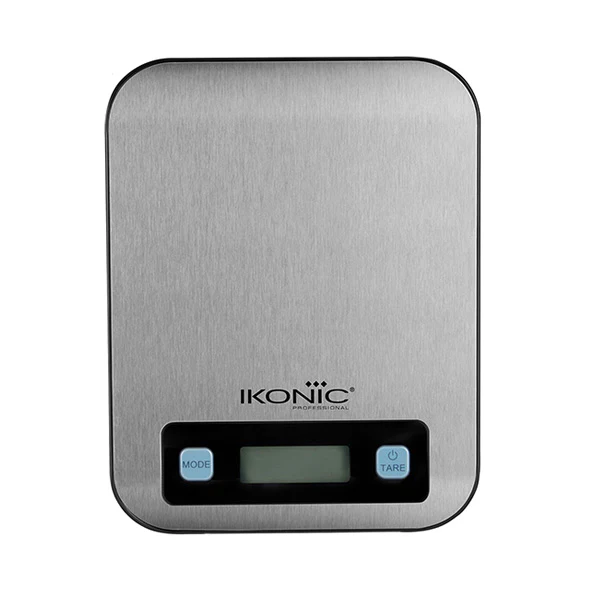
Ikonic Weighing Scale
Ikonic Weighing Scale
1. Place the scale on a solid, flat surfacePlace a bowl (if using) on the scale
2. Press the power button to turn on
3. Wait until LCD shows ""0"" and then press Mode button to convert to weighing mode
4. Load weighing object on scale (or bowl) to start weighing. LCD will show the weight reading
5. For weighing treatment color:
6. If the weighing object is treatment press Mode button to choose volume mode and view the volume of the weighing object
Product Information
Product Information
Shipping & Returns
Shipping & Returns
Description
1. Place the scale on a solid, flat surfacePlace a bowl (if using) on the scale
2. Press the power button to turn on
3. Wait until LCD shows ""0"" and then press Mode button to convert to weighing mode
4. Load weighing object on scale (or bowl) to start weighing. LCD will show the weight reading
5. For weighing treatment color:
6. If the weighing object is treatment press Mode button to choose volume mode and view the volume of the weighing object